
For Installers · HVAC install management
Jobs that arrive complete.
The model, loads, equipment, panel info, and proposal come with the job, before the truck leaves.
- Model
- Room loads
- Proposal
- Equipment
- Scope
- Payout
The hand-off
Full scope, up front.
See the house
A measured 3D model of every room, with walls and openings in place.
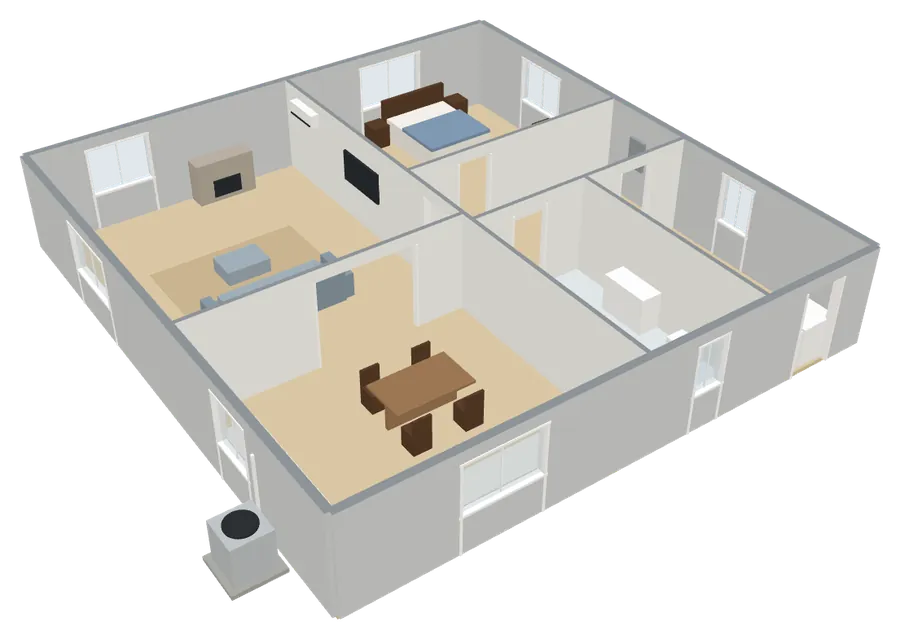
Know the panel
Main-panel info, like capacity and breaker space, captured on the sales visit.
Change orders
Update scope and price, then re-sign without starting over.
Approve, then schedule
Review and approve the job in one place. Put installs on the calendar by crew.
Install and after
Install it. Keep it running.
Install from the full scope.
Photos and sign-off close the job.
Visible payout.
The payout travels with the job.
Service & Maintenance.
Maintenance plans, service calls, and equipment history stay on the record.
Questions
Good to know
What comes with a passed job?
The signed proposal, load calc, equipment list, photos, and notes, plus the model and panel info captured on the sales visit.
How do change orders work?
Flag what needs to change and send it back to sales. They fix the job, and it comes back to you to approve.
Can I use my own finance company?
Yes. Keep the lender you already work with, or choose a financing option in Newtonian. See For Financiers.
How do I join the Network?
Request access as an installer at info@newtonian.app or through the contact form.
Request access
Join the Network.
Request access as an installer.